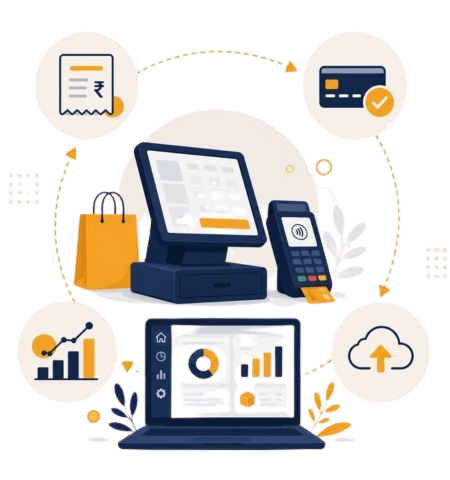
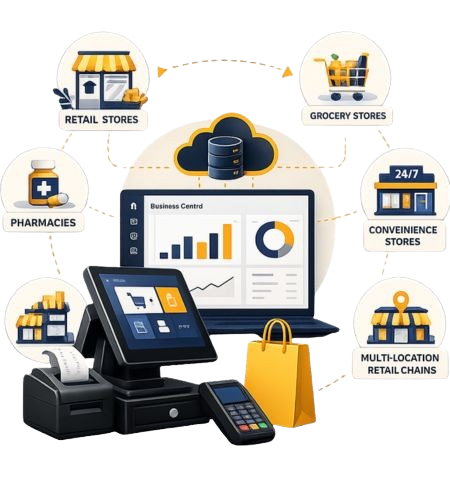
Our Retail POS handles billing and checkout at the counter — fast, simple, built for the speed of a retail floor. Behind it, Microsoft Dynamics 365 Business Central runs your inventory and finance, so every sale updates your stock and your books the moment it happens. No nightly imports, no end-of-day reconciliation, no second system to trust.
Most retail POS systems are built as standalone tools. They handle billing well enough, but inventory and accounting live somewhere else — a different system, a nightly export, a spreadsheet someone reconciles at month-end. That gap is where stock counts drift, finance teams chase numbers that don't match the floor, and multi-store visibility becomes a once-a-week report instead of a real-time view.
We built our Retail POS differently. The checkout counter runs on the POS — quick, focused, built for the pace of a retail floor. Everything behind the counter — inventory, costing, ledgers, multi-location consolidation — runs on Microsoft Dynamics 365 Business Central. The two aren't bridged after the fact; they're connected from the start, so a sale at the till is a stock reduction and a financial posting in Business Central at the same moment, not a batch job that runs later.
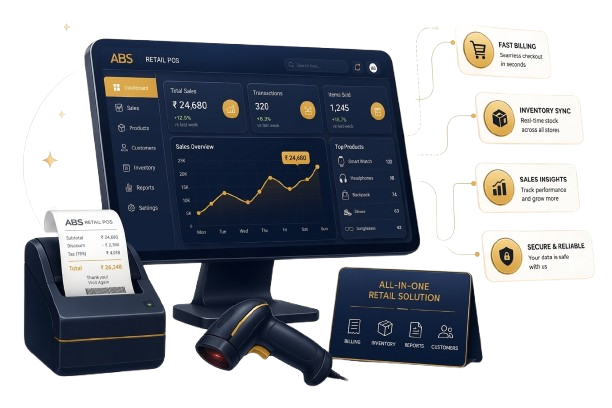
Every sale, return, and stock adjustment posts directly to Business Central the moment it happens — inventory and ledgers stay current without manual syncing.
A checkout experience designed for speed, with a clean interface that keeps store staff moving without needing ERP-level training.
Stock levels update in Business Central with every sale, so your inventory team is always looking at what's actually on the shelf.
Sales transactions post to the general ledger in Business Central automatically, removing manual journal entries.
Run one store or fifty — every location's sales and inventory consolidate into the same Business Central environment.
Accept card payments through connected EDC machines and UPI/QR payments directly at the POS.
Control what cashiers, store managers, and finance teams can see and do, governed the same way as the rest of Business Central.
Keep billing running during a connectivity drop, with transactions syncing to Business Central automatically once the connection is back.
Access live sales data, inventory positions, and financial summaries directly from Business Central — no separate reporting tools needed.
Staff scan or enter items and generate the bill at the POS, accepting payment via cash, card (EDC), or UPI.
Card payments are captured through the connected EDC terminal, UPI payments through the integrated QR flow — both tied to the same transaction record.
The completed sale posts instantly to Business Central: inventory reduces, the ledger updates, and the transaction is recorded against the right store location.
Inventory teams, finance teams, and multi-store managers see the updated numbers in Business Central in real time — not at end of day.
We integrate directly with EDC (card payment) terminals from major banking partners, so card transactions are captured at the till and reconciled automatically against the sale in Business Central.
Accept UPI and QR-based payments at checkout, with transaction data flowing into the same Business Central record as the rest of the sale.
Standard barcode scanner support for fast item lookup at billing, with product data sourced directly from Business Central inventory.
Connect standard receipt and barcode label printers for billing and in-store labeling needs.
For grocery and F&B retail, integrate weighing scales directly into the billing flow for weight-based pricing.
Everything connects back to Microsoft Dynamics 365 Business Central, ensuring one source of truth for inventory, finance, and operations.
Our Retail POS is designed for businesses that want billing and checkout to be simple at the counter, while inventory, costing, and finance run on a real ERP behind it — whether you're already on Business Central or looking to bring your retail operations onto it.
Everything you need to know about our Retail POS and its Business Central integration
A live demo is the fastest way to see how billing at the counter and your inventory and finance in Business Central stay in sync, in real time.